

We do not promote every ICO that appears. Most are just hype with no staying power. But when you see something very hot Or, if you have the potential to become a great cook in a short period of time, create a guide so the community knows how to get involved if they wish. The last two ICO guides were Plasma and Pump.fun, and everyone who followed, was able to secure a solid entry.
Of course, the same results are not guaranteed here. Risk always exists. However, after considering the project, the launch setup, and the current market excitement, we believe that MegaETH is likely to be a profitable strategy, especially for early participants.
This is not a paid post, sponsored listing, or anything like that. We ourselves are participating in this sale and we are just explaining how to do it step by step.
The recent Plasma token sale at Echo showed how powerful a well-executed launch can still be. Starting with just $0.05, it raised tens of millions of dollars in minutes, ultimately delivering huge profits to early buyers. At that moment, much of the attention shifted to echo and its token-activated products sonarwhich aims to make public token sales more structured and transparent.
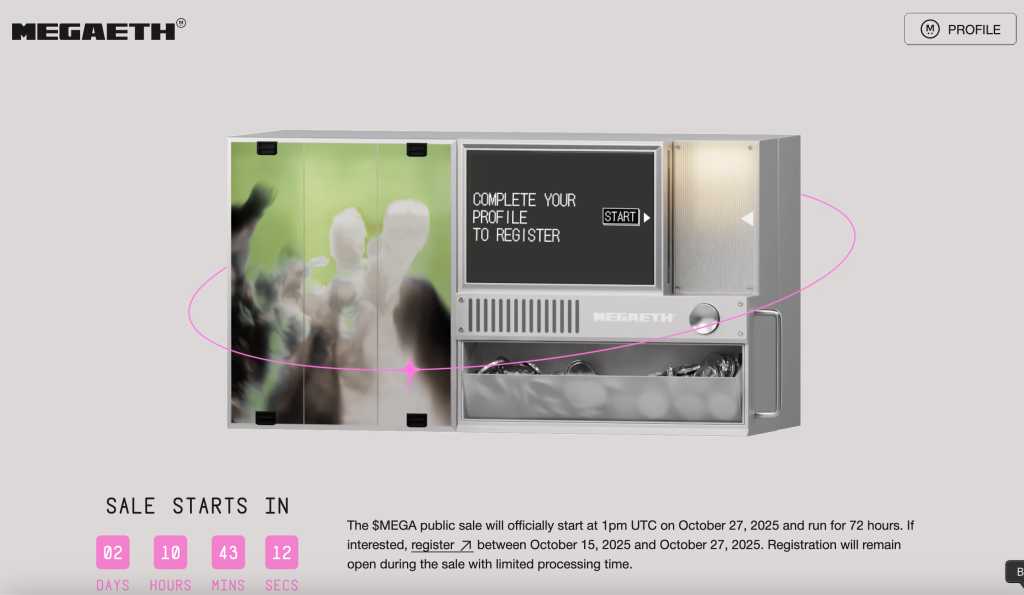
Now, the next big sale that everyone is watching is MegaETH, the highly anticipated Ethereum Layer 2 project. Registration is now open, but if you want a fair allocation, you must complete your KYC and account setup early.
This guide will walk you through the following steps:
- How to complete KYC for MegaETH sale
- How to set up an Echo account
- How to use sonar
- How groups work and how to choose the right group
Don’t worry even if it’s your first time. We will explain everything step by step.

1. MegaETH KYC preparation
MegaETH registration is open until October 27th. Verifying your identity may take longer than expected, so we recommend completing the process early rather than waiting until the last day.
What to prepare
- A clear image or photo of your passport or driving license
- Smartphones compatible with face scan authentication
- Documents proving your address within the past 3 months
(This could be a bank statement or utility bill, where name, address, and date all appear)
Important notes:
At this time, addresses based in mainland China cannot be used for this KYC. Many participants use alternative proof of residence documents (e.g. Hong Kong proof of address, Singapore proof of residence, EU proof of residence, Latin American utility bill, etc.). It is normal and acceptable for passports and address documents to be from different regions.
2. Start KYC from the MegaETH registration page
Community feedback indicates that we will start KYC verification from scratch. MegaETH registration link It tends to be smoother than starting from within Sonar first.
Once the page loads, you will be asked to authorize the connection of your wallet and basic identity data. just click approve Continue.
3. Fill out your profile
You will be asked to enter personal and on-chain information such as:
- Your Twitter/X profile
- Discord username
- GitHub (optional)
It would be helpful if these accounts appeared active instead of empty.
Next, look for the option to add additional wallets. You can upload up to three wallets with a meaningful history of on-chain activity. Wallets that exhibit previous participation in Ethereum, DeFi, L2 usage, staking, bridging, etc. may increase the likelihood of being allocated during oversubscribed rounds.
Next, connect your main wallet, ideally the one you use most often.
Once that’s done, click Manage with Sonar to begin verifying your identity.
4. Complete identity verification in Sonar
Step 1: Upload your ID
Select the option to verify your identity and upload your passport or driving license.
confirm:
- Images are high resolution
- All edges are fully visible (not cropped).
- Do not upload screenshots (the system can detect this)
If the system can’t read your passport, try your driver’s license instead.
Step 2: Face scan
Once your ID is uploaded, you will be asked to complete a liveness check.
- A QR code will be displayed
- Please scan with your mobile phone
- Follow the instructions on the screen in a bright room
This usually takes less than a minute.
Step 3: Upload proof of address
Upload the address proof document you prepared earlier. Your name, address and date must be clear.
If the upload fails, try another document. This is common and does not need to be emphasized.
Once approved, you will receive an email confirming the success of your KYC. On your MegaETH registration dashboard, your wallet should appear as follows. Eligible for this sale.
Please note that a second verification step may be required at the start of the sale. Keep your documents handy and keep an eye out for notifications from Sonar and official MegaETH channels.

5. Creating and Using an Echo Account
Even after completing MegaETH’s KYC, you still need to register an account. echo account. Echo is the platform where groups are formed and transactions are performed.
To create an Echo account, visit the Echo homepage and register. after that:
- Enable two-factor authentication (2FA)
- Link your X or Farcaster profile
- Please select your country of residence
- Check user agreement
- Fill out your personal investment profile
Investment experience questionnaire
Echo asks about your income range, net worth level, investment history, and understanding of risk. These questions will determine the type of token sale you will be granted access to. Having at least moderate investment experience will help you give a consistent answer.
If you have unclear questions, try to keep your answers concise and realistic. You can always ask to review your answer before submitting.
Read the full article on President Trump’s pardon of CZ
6. Join groups with Echo
Groups are one of Echo’s core features. This allows a group of users to pool their investments behind a group leader who handles procurement transactions. If the trade goes well, the leader receives a portion of the profits. Otherwise, everyone loses together.
To join a group:
- Find large, active groups
- Prefer established leaders in the cryptocurrency space
- Avoid small private groups with unclear track records
You can see the number of members and recent transactions in each group before deciding to join.
Groups are optional, but joining a strong group can help you secure overselling quotas.
Please support our activities
If you found this helpful, please consider signing up for BloFin (non-KYC) or Bybit using our referral link. Your support helps keep this content flowing free.
final thoughts
MegaETH is one of the most talked about upcoming releases for Echo. The hype is there, the story is strong, and the sales mechanics could lead to a solid upside, especially if the initial float is handled well.
But as usual:
This does not guarantee a profit.
This is not financial advice.
This is just a way to be prepared from start to finish so you don’t miss out on opportunities due to KYC delays or account setup issues.
We ourselves are part of this. If you decide to do the same, now you know exactly how.
If you enjoyed this blog, be sure to check out our guide on looping strategies to utilize while farming.
As always, don’t forget to claim the following bonuses at Bybit. See you next time!
